Getting started
Onboarding
Account settings
Update my profile settings in Seller Center
Manage company information in Seller Center
Manage contact information in Seller Center
Add a new user to my Seller Center account
Update user information
Delete a user from my Seller Center account
Update tax information in Seller Center
Set up payout information in Seller Center
Manage notifications in Seller Center
Reset Seller Center password
Enable 2-step verification in Seller Center
Disable 2-step verification in Seller Center
Getting ready to sell
APIs and integrated solutions
Brand Portal
Walmart Fulfillment Services (WFS)
Advertising
Troubleshooting
Item setup
Catalog management
Walmart Fulfillment Services (WFS)
Seller Fulfillment Services
Listing optimization
Order management
Taxes & payments
Policies & standards
Growth opportunities
Advertising
Walmart Seller appNew


2-step verification is a multi-factor verification method that drastically reduces the chances of having the information in your Seller Center account compromised. However, if you need to disable 2-step verification for any reason, you can turn it off in Seller Center.
Disable 2-step verification
Step 1 — Get started
Navigate to the 2-step verification page in Seller Center.
Step 2 — Disable
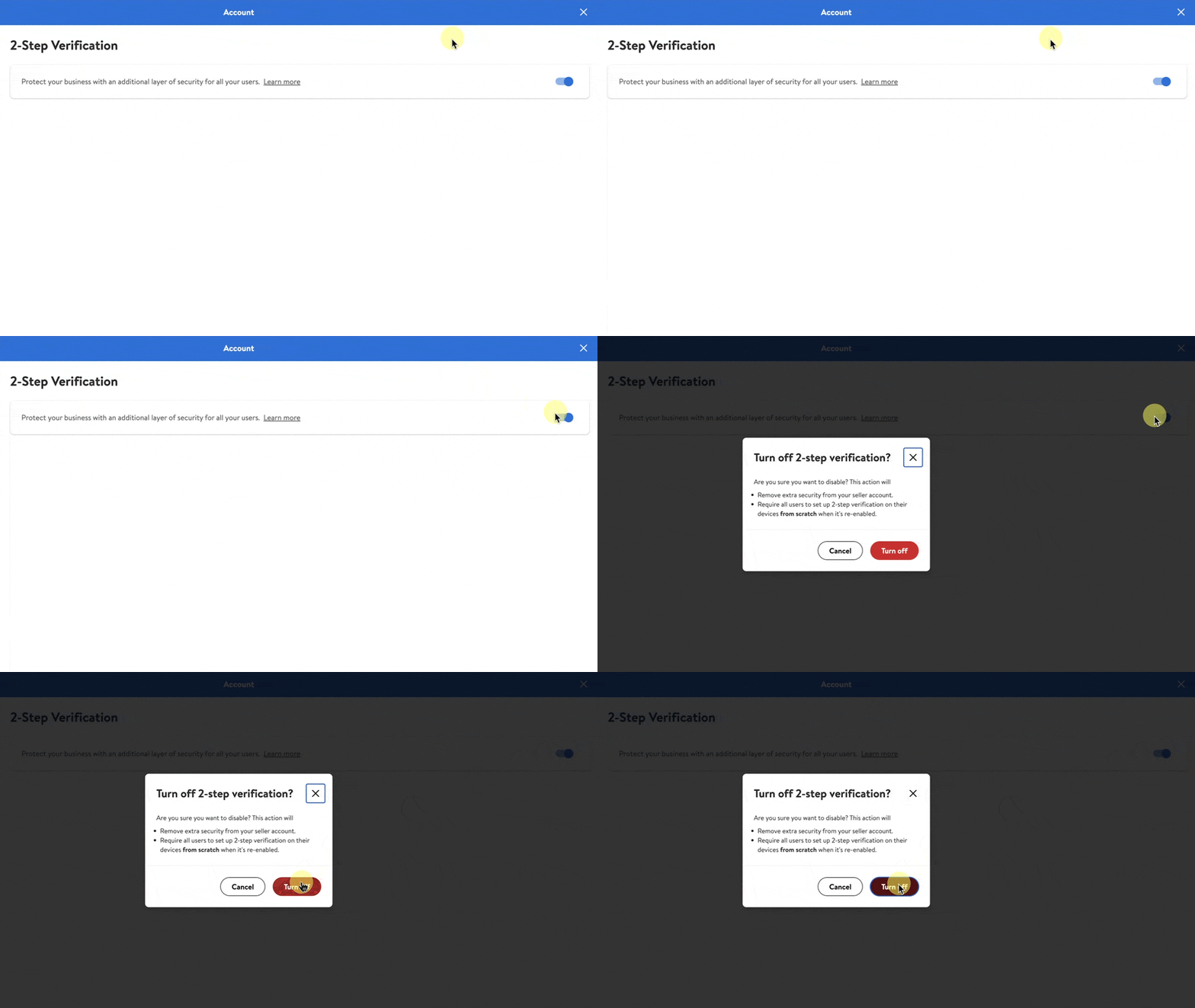
To disable 2-step verification for all users on your account, select the toggle.
Step 3 — Confirm
A pop-up message will appear confirming your intent to turn off the 2-step verification feature. Select Turn off if you’re ready to continue or cancel to stop the process.